Assistive technology at work: the state of the art for employment

Assistive technology is any product, or the system around it, that maintains or improves a person's functioning. At work it can be the difference between a job that is possible and one that is not. The technology has improved quickly; access to it has not kept pace.
What counts as assistive technology
The World Health Organization uses "assistive technology" for the application of knowledge and skills related to assistive products, and "assistive products" for the items themselves: wheelchairs, hearing aids, spectacles, prosthetics, communication aids, software and much more. The definition is deliberately functional. A pair of glasses and a braille display are both assistive products if they let someone do what they need to do.
In employment settings, the most relevant categories are:
| Need | Examples of products and adjustments |
|---|---|
| Vision | Screen readers, screen magnifiers, braille displays, high-contrast settings, optical character recognition, accessible document formats |
| Hearing | Hearing aids and loop systems, live captioning, speech-to-text, visual alerts, sign language interpretation (including remote) |
| Mobility and dexterity | Wheelchairs, height-adjustable desks, alternative keyboards and pointing devices, voice control, eye-gaze systems |
| Communication | Augmentative and alternative communication devices, text-to-speech |
| Cognition and learning | Reading and writing support, task and time management tools, simplified interfaces, noise-reducing equipment |
Many of these features are now built into mainstream operating systems and office software at no extra cost. That shift from specialist to mainstream is the single most important change of the past decade: an employee may need configuration and training rather than a separate purchase.
The access gap
The first Global Report on Assistive Technology, published by WHO and UNICEF in May 2022, gave the clearest picture so far of unmet need. Its headline findings:
- More than 2.5 billion people need one or more assistive products, a number expected to rise to 3.5 billion by 2050 as populations age and noncommunicable diseases become more common.
- Almost one billion of them are denied access.
- Access varies from as low as 3% in some low- and middle-income countries to 90% in some high-income countries.
The barriers the report identifies are familiar: cost, lack of trained personnel to assess, fit and maintain products, weak supply chains, and low awareness. For work, there is an extra layer: even where a product is available, the employer's IT environment, procurement rules or building may block its use.
The legal framework
The Convention on the Rights of Persons with Disabilities (CRPD), adopted by the UN General Assembly in 2006, frames assistive technology as a matter of rights rather than charity. Several articles are directly relevant:
- Article 2 defines "reasonable accommodation" as necessary and appropriate modification and adjustments not imposing a disproportionate or undue burden, and treats its denial as a form of discrimination.
- Article 4 commits states to promote research, development, availability and use of new technologies, including assistive technologies, giving priority to those at an affordable cost.
- Article 9 covers accessibility, including of information and communications technologies.
- Article 20 covers personal mobility and mobility aids.
- Article 27 recognises the right to work on an equal basis with others, and requires that reasonable accommodation be provided in the workplace.
National and regional law turns these principles into duties. In the European Union, Directive 2000/78/EC on equal treatment in employment requires employers to provide reasonable accommodation for people with disabilities. The European Accessibility Act (Directive (EU) 2019/882), whose requirements apply from June 2025, sets accessibility requirements for products and services such as computers, operating systems, self-service terminals and e-commerce. In the United States, the Americans with Disabilities Act requires employers covered by it to make reasonable accommodations unless doing so would cause undue hardship.
What works in practice
Accessible by default
Choosing software, intranets and documents that meet recognised accessibility standards, such as the W3C's Web Content Accessibility Guidelines or the European standard EN 301 549, means fewer individual workarounds later. Retro-fitting a screen reader onto an inaccessible internal application is far harder than buying an accessible one.
Individual assessment
Two people with the same diagnosis may need very different set-ups. A structured conversation about tasks, not medical labels, is usually the starting point. Occupational therapists, vocational rehabilitation services and specialist organisations can help with assessment.
Training and maintenance
Products fail without training, updates and repair. Budgets and responsibilities for that should be clear from the outset, including when software is upgraded across the organisation.
Public support schemes
Many countries fund workplace adjustments through public programmes, so that cost does not fall entirely on small employers or on the employee. The scope and names of these schemes vary widely; national disability or employment services are the place to check.
Emerging technologies, with caution
Automatic captioning, image description and speech recognition have improved markedly with machine learning and are now widely available. They can be transformative, but they also make errors, may perform less well for some accents or speech patterns, and can raise privacy questions when they process meetings or documents. They complement, rather than replace, human services such as qualified interpreters where accuracy matters.
The link to the SDGs
Target 8.5 of the Sustainable Development Goals calls for full and productive employment and decent work for all women and men, "including for young people and persons with disabilities", and equal pay for work of equal value. Target 4.5 covers equal access to education for persons with disabilities, and target 11.2 accessible transport. Assistive technology is a practical precondition for all three. WHO's 2018 World Health Assembly resolution WHA71.8 on improving access to assistive technology asked member states to develop policies and programmes to that end.
Related explainers: digital skills for the SDGs and women and inclusive innovation.
 Inclusion and rights
Women and inclusive innovation
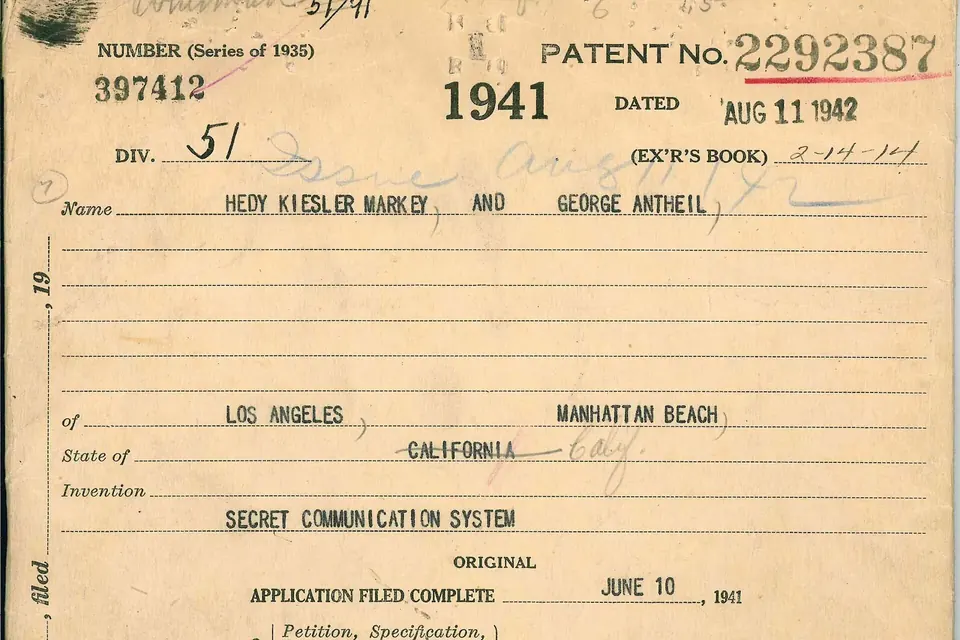
Women's share of researchers and patent inventors, why the gap matters for results, and the measures with evidence behind them.
 Cooperation and skills
Digital and high-tech skills for the SDGs
What indicator 4.4.1 measures, the connectivity gap, frameworks such as DigComp, and what tends to work in building skills.
 Inclusion and rights
SDG 16.9: legal identity for all
Birth registration, the people still without proof of identity, and the safeguards digital ID systems need.